Practice Management Technology
Practice Management Software in Australia: A Guide for GPs and Clinics
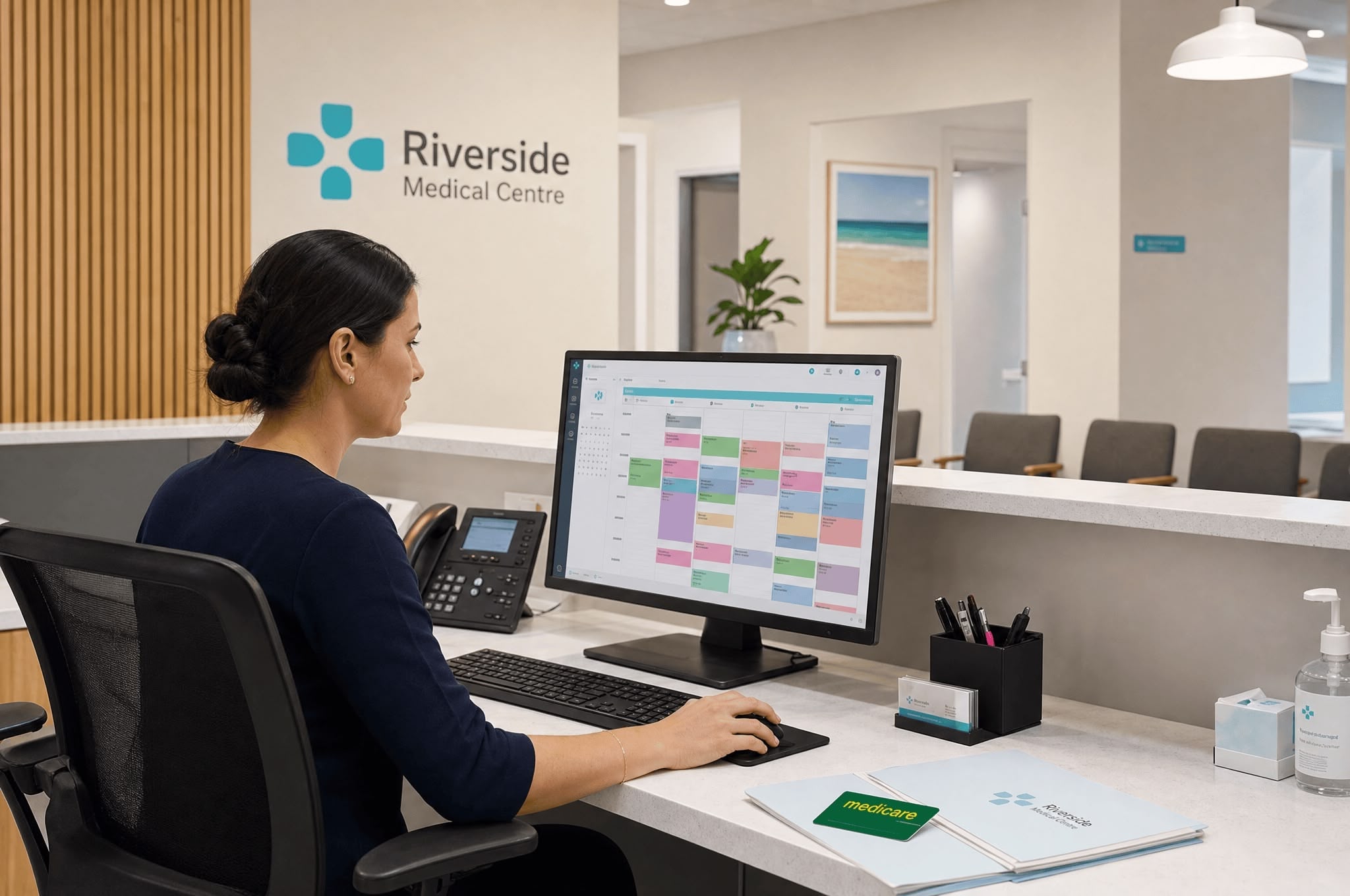
Practice management software (PMS) is the operational backbone of an Australian medical practice. It runs the appointment book, processes Medicare and private billing, stores clinical records, manages recalls and reminders, generates financial and clinical reports, and connects the practice to external systems including My Health Record, secure messaging providers, and pathology labs. The practice manager is the person who configures it, trains staff to use it, troubleshoots when it breaks, and decides when it is time to switch to a different platform.
This guide covers what practice management software does, the major platforms used in Australian general practice, the features that matter most for practice managers and clinical teams, how to evaluate a new system, and how to manage a switch between platforms without losing data or disrupting patient care. The guidance is platform-neutral. No system is described as best, because the right system depends on the practice’s size, clinical mix, billing model, and existing infrastructure.
TalentMed Pty Ltd (RTO 22151) delivers the HLT57715 Diploma of Practice Management, a nationally recognised qualification covering operational, financial, and compliance responsibilities for Australian medical practices. VSL (VET Student Loans) funding is available for eligible students. The course includes content on practice management systems, billing software, and digital health integration.
What practice management software does, and why the practice manager owns it
Practice management software is the single platform that ties together the operational, financial, and clinical workflows of a medical practice. In an Australian general practice, the same system typically handles appointment scheduling, Medicare claiming, patient demographics, clinical notes, prescriptions, pathology and imaging requests, referrals, recalls, billing, reporting, and audit trails. The system is open on every workstation across the practice, used differently by reception, nursing staff, GPs, and management, but configured and governed centrally.
The configuration, governance, and procurement of the system fall to the practice manager. The GPs use the clinical side of the system every day and have strong opinions about the clinical note templates, prescribing workflow, and pathology ordering interface. They generally do not have time or interest in the administrative side: appointment types and durations, fee schedules, recall logic, Medicare adaptor settings, user permissions, backups, software updates, and integration with external systems. That work is the practice manager’s domain, and it is what keeps the system serving the practice rather than constraining it.
This division of ownership matters when something needs to change. If a GP wants a new clinical note template, the practice manager configures it. If reception staff need a new appointment type added, the practice manager configures it. If the practice is switching from one billing model to another, the practice manager updates the fee schedule and trains staff in the change. The principal GPs make clinical decisions; the practice manager translates those decisions into how the software behaves. Without a practice manager who understands the system, configuration drifts, workarounds proliferate, and the practice ends up paying for features it never uses while staff create spreadsheets to compensate for capability that already exists.
| System area |
Primarily used by |
Practice manager responsibility |
| Appointment book |
Reception, nursing |
Configure appointment types, durations, provider templates, waitlist rules. |
| Clinical records |
GPs, nurses |
Template governance, audit access, data retention compliance. |
| Medicare billing |
Reception, billing officer |
Provider numbers, fee schedule, adaptor configuration, claim reconciliation. |
| Private billing |
Reception, billing officer |
Fee schedule, gap policies, account follow-up. |
| Recalls and reminders |
Nursing, reception |
Recall logic, message templates, opt-in management. |
| Reporting |
Practice manager, principal GPs |
Run reports, monitor KPIs, present to partners. |
| Integration and adaptors |
System (background) |
My Health Record, HICAPS, secure messaging, pathology feeds. |
For a fuller view of how the practice manager’s role sits between clinical and administrative work, see a day in the life of a practice manager. For the skills that consistently come up when practice managers describe their work, see the 10 skills every Australian practice manager needs.
The Australian clinical software landscape
The Australian general practice software market is dominated by a small number of established platforms, plus a growing field of cloud-native entrants. The information below is factual and platform-neutral. No system is described as best. Practices choose between them based on size, clinical mix, billing model, multi-site needs, and existing infrastructure. Switching costs are significant, so the dominant systems retain practices for many years even when newer entrants offer attractive features.
The major platforms used in Australian general practice include:
Best Practice (Bp Premier). Developed by Best Practice Software in Bundaberg, Queensland. One of the two most widely deployed clinical systems in Australian general practice. On-premise (server-based) with a cloud variant (Bp Omni) released more recently. Used by general practices, specialist clinics, and allied health providers nationally.
Medical Director (MD). Long-established Australian clinical software, now owned by Telstra Health. Available in on-premise (MD Clinical) and cloud (MD Helix) variants. Historically the most deployed system in Australian general practice; market share has shifted in recent years but it remains one of the two dominant platforms.
Genie Solutions (Genie Health). Brisbane-based clinical software with strong adoption in specialist practice (procedural and consulting specialties), and a growing GP user base. Available in on-premise (Genie) and cloud (Gentu) variants. Particularly common in private specialist clinics and day surgeries.
Zedmed. Australian clinical software with deployments across general practice, specialist practice, and allied health. Available in on-premise and cloud (Zedmed Cloud) variants. Multi-disciplinary capability makes it common in practices co-locating GPs with allied health providers.
Cliniko. Cloud-native Australian practice management system, originally focused on allied health (physiotherapy, psychology, podiatry, chiropractic) and expanded into GP, telehealth, and multi-disciplinary practice. Browser-based with no on-premise install. Used by smaller practices, sole practitioners, and telehealth-only operations.
Cloud-native and niche entrants. Other systems with smaller market share include MediRecords (cloud-native, multi-site capable), Coreplus (allied health and integrated GP), Halaxy (allied health with growing GP capability), and several specialist-vertical platforms. The cloud-native end of the market is growing.
Each of these platforms is a legitimate choice for a practice that fits its profile. The on-premise systems (Best Practice, Medical Director, Genie, Zedmed in their server variants) have the longest track record, deepest feature sets, and largest installed user base in Australian general practice. They require local server infrastructure, IT support, and backup discipline. The cloud variants and cloud-native systems remove the server burden but introduce reliance on internet connectivity and a different cost model (typically per-user-per-month subscription versus perpetual licence plus annual support).
Choosing between them is not a matter of finding the best system in isolation. It is a matter of fit. A solo-GP cloud-only telehealth practice has very different needs to a 12-GP multi-site group with on-site pathology, allied health co-location, and procedural day surgery. Section 5 below covers how to evaluate fit systematically.
Features that matter for practice managers
Practice managers spend most of their software time in the operational and financial features of the system, not the clinical record. The features below are the ones that consistently affect how smoothly a practice runs and how accurately it bills. When evaluating a system, the practice manager should test these features against a realistic scenario from their own practice, not against a vendor demonstration script.
Scheduling and waitlist management. Appointment types, provider-specific templates, double bookings, recall-driven appointments, telehealth slots, and waitlist or cancellation list logic. A good system makes it easy for reception to find the right slot for the right reason; a poor one creates manual workarounds and double bookings. Test the scheduling interface against a real day’s workload, not a demo.
Medicare billing and HICAPS integration. Bulk billing claims, patient claims, Medicare Easyclaim, and HICAPS terminal integration for private health fund benefits at the point of service. Reconciliation between the system and the Medicare remittance is where errors compound, so the system needs to make remittance matching straightforward. For the Medicare-specific mechanics, see
Medicare billing fundamentals for practice managers.
Reporting and analytics. Daily takings, claim status, debtor ageing, appointment utilisation, billing mix, recall completion rates, and clinical activity by item number. Reports that the practice manager runs weekly or monthly should be quick to generate; if they need to be exported to a spreadsheet to be usable, the system is fighting the practice. For a fuller view of what to measure, see
GP practice KPIs and dashboard.
Recall and reminder systems. SMS and email reminders for upcoming appointments, recall messages for due care (cervical screening, immunisations, chronic disease reviews), and broadcast messages for practice events. Two-way SMS (where the patient can reply to confirm or reschedule) reduces the call volume on reception. Bulk recall capability needs to integrate with clinical coding so the right cohort is contacted at the right time.
Staff access controls and audit logs. Role-based permissions so reception sees what reception needs, billing officers see what they need, GPs see clinical records, and the practice manager can configure all of it. Every system access should be logged. Privacy Act 1988 obligations require the practice to be able to demonstrate who accessed what record when. Without audit logs, the practice cannot respond to a privacy breach investigation.
Interoperability with My Health Record. Direct upload of shared health summaries, event summaries, and discharge summaries to My Health Record. View access to documents uploaded by other healthcare providers. Configuring the My Health Record integration correctly is a Standard 5 RACGP and Australian Digital Health Agency expectation. Practices that elect to participate in My Health Record need staff trained to upload and view appropriately.
Features for clinical teams (and what the practice manager needs to understand about them)
The clinical features of the system are driven by the principal GPs and clinical leadership, but the practice manager needs to understand them well enough to support the team, configure templates, manage user accounts, and procure the right system. Clinical features are not a black box that the practice manager hands off to GPs. The practice manager is the person who sets up new clinicians in the system, troubleshoots when the prescribing module fails on a Monday morning, and renegotiates the licence when capacity needs to grow.
PBS prescribing integration. Electronic prescribing through the system, with PBS item validation, drug-interaction checking, and active script list integration. Electronic transfer of prescriptions to pharmacy via the eRx or MediSecure prescription exchange services. The practice manager configures the prescribing module, manages provider credentials, and supports the team when a prescription fails to transmit.
Pathology and imaging ordering. Electronic ordering through the system to pathology providers (Sonic, Healius, Australian Clinical Labs, Douglass Hanly Moir, regional providers) and radiology providers. Result returns are pushed back into the patient record via secure messaging or HL7 feeds. The practice manager configures the lab provider lists, manages the secure messaging configuration, and follows up when result feeds break (results not arriving is one of the most common system-level incidents in general practice).
Clinical notes templates. Pre-built note templates for common consultation types (chronic disease management plans, mental health treatment plans, health assessments, immunisation encounters). Most clinical systems ship with template libraries; the practice configures additional templates to match its workflow. The practice manager translates clinical leadership decisions about what should be templated into actual template configuration.
Immunisation register upload. Automatic upload of immunisation encounters to the Australian Immunisation Register (AIR). All immunisations administered in general practice must be uploaded to AIR. Modern clinical systems handle this in the background once configured; the practice manager configures the AIR integration, manages provider credentials, and verifies uploads are succeeding.
Care plan and MBS chronic disease item support. Templates and prompts for GP Management Plans (item 721), Team Care Arrangements (723), reviews (732), and chronic disease management item numbers. The system should make it straightforward to identify patients eligible for these items, generate the documentation, and bill the correct item number. Practices that bill chronic disease management items routinely depend on the system getting this right.
Mental health treatment plan support. Templates for item 2715 and 2717 mental health treatment plans, GP review item 2712, and integration with referral letters to mental health professionals. As mental health presentations in general practice have grown, system support for these item numbers has become essential rather than optional.
The practice manager does not need to be able to write a clinical note; that is the clinician’s job. But the practice manager needs to know enough about the clinical side to procure, configure, and support the system the clinicians are using every day. When clinical features are poorly understood by management, the team ends up working around the system rather than with it, and patient care quality suffers.
Key questions to ask when evaluating a practice management system
Vendor demonstrations are calibrated to make every system look excellent. The questions below cut through the demonstration script and surface the differences that matter when the system is being used in production by your specific practice. Ask each question of any vendor you are seriously considering, and ask the same questions of two or three reference sites running the system in a practice profile similar to yours.
What is the total cost of ownership over five years? Not just the licence or subscription cost, but server infrastructure, IT support, training, integration fees, data migration, annual support fees, and capacity expansion. Cloud subscriptions look cheaper upfront but compound over time; on-premise systems carry hidden infrastructure costs. Build a five-year cost model for the realistic user count and feature set you need, not the demonstration price.
What does training and ongoing support look like? Initial training for new staff, ongoing support hours, response times for production issues, after-hours support for a 24/7 telehealth practice, and self-service training resources. The system that ships with strong training materials and responsive support is the system staff actually use to its full capability.
What HL7 and FHIR integration does the system support? HL7 v2 messaging is the established standard for pathology, imaging, and discharge summary feeds. FHIR (Fast Healthcare Interoperability Resources) is the emerging modern standard for digital health, used by My Health Record and the Australian Digital Health Agency. Systems that handle both well integrate more cleanly with the wider healthcare ecosystem.
Cloud or on-premise, and why? Cloud-native systems remove server burden, simplify multi-site, support remote work, and reduce upfront cost. On-premise systems give the practice full control of data location, work without internet, and avoid per-user subscription compounding. Neither is universally better; the right answer depends on your IT support capability, internet reliability, multi-site needs, and data sovereignty preferences.
How does the system handle multi-site operation? Shared appointment book across sites, cross-site billing reconciliation, role-based access by site, and consolidated reporting. Practices that operate from more than one location should test the multi-site features against a realistic scenario before signing. Some systems handle multi-site natively; others assume a single-site deployment and bolt multi-site on.
What is the data migration story from our current system? If you are switching from an existing system, the vendor needs to be able to migrate patient demographics, clinical notes, prescriptions, recall lists, billing history, and document attachments. Ask for evidence of successful migrations from your current system, what is migrated cleanly, what is not, and what the cost is. Data migration that loses or corrupts clinical history is a Standard 5 RACGP compliance problem.
Talk to reference sites, ideally without the vendor in the room. Ask the vendor for three reference customers with a practice profile similar to yours, then ask the reference customers what they would change about the system, what surprised them after going live, and what training they wish they had done differently. A practice manager who is running the system you are evaluating will tell you things the demonstration never shows.
Switching practice management systems: what the practice manager has to manage
Switching from one practice management system to another is one of the largest projects a practice will ever undertake. It touches every clinician, every staff member, every workflow, and every patient record. Practices that approach the switch as a software project tend to underestimate the operational disruption; practices that approach it as a change management project, with the software as one of several elements, tend to succeed. The practice manager is the project lead.
Data migration is the long pole. Patient demographics, current medications, allergies, problem lists, immunisations, recall registers, billing history, and historical clinical notes all need to move. Most vendors offer a migration service; the quality varies. Allocate at least three months for migration planning, test migration, validation, and rehearsal before go-live. Validate a representative sample of migrated records against the source system before committing.
Staff training and competency. Every reception staff member, nurse, GP, and admin staff member needs hands-on training in the new system before go-live. Train in the order they will use the system: reception first (because they handle every patient), then clinical staff, then management functions. Build a training environment using migrated data so staff practice on something realistic.
Parallel-running period. Run both systems in parallel for an agreed period (commonly two to four weeks for a small to medium practice). Reception books appointments in the new system but the old system is still available to reference historical notes. This is uncomfortable for staff and slows the practice down, but it surfaces migration gaps and configuration errors before the old system goes read-only.
Medicare adaptor re-registration. The new system needs to be registered with Services Australia for Medicare claiming, with each provider’s PRODA-linked Medicare provider number associated to the new system. The PKI certificate chain needs to be reconfigured. This is administrative work, not technical, but it has to be done in sequence with go-live; if the new system cannot claim Medicare on day one, the cash flow impact is immediate.
Patient notification (where relevant). Patients do not need to be notified of an internal software change, but they should be told if there will be any visible disruption: appointment booking offline for a period, the recall message format changing, the SMS sender ID changing, or the practice website online-booking integration switching to a new platform. Communicate proactively rather than letting patients discover changes through frustration at reception.
Post-go-live support and hypercare. Plan for elevated support needs in the first two to four weeks after go-live. Vendor support volume will spike, internal escalations will spike, and staff will need management presence on the floor more than usual. Hypercare is a discipline borrowed from large IT projects: dedicated support, daily standups, and rapid issue resolution for the first weeks. Without it, problems that should be fixed in days drag on for weeks.
Switching a practice management system well takes six to nine months end-to-end for a small to medium practice. Switching a system poorly causes lost revenue (Medicare claims that fail or are delayed), staff turnover (because training and support were inadequate), patient complaints (because workflows broke), and clinical risk (because records were not where they were expected to be). The cost of doing the switch well is real but bounded; the cost of doing it poorly is much harder to predict.
Integrations the modern Australian practice needs
A practice management system does not work in isolation. It needs to talk to a range of external systems, and the quality of those integrations is often the difference between a smooth daily operation and a frustrated team. The integrations below are now expected rather than optional in Australian general practice.
HICAPS terminal integration. HICAPS terminals process private health fund extras claims at the point of service and are the standard way to handle in-rooms allied health benefits, claims for vaccinations covered by private health insurance, and some specialist consultations. The PMS should integrate with the HICAPS terminal so the transaction is recorded in the system without manual re-entry.
Online booking platforms (HotDoc, HealthEngine). Most Australian general practices now offer online appointment booking through HotDoc, HealthEngine, or both. These platforms integrate with the PMS appointment book so patients book directly into the same calendar reception uses. The integration also handles reminders, recalls, and patient-facing forms. The practice manager configures appointment types available for online booking, opening rules, and patient information capture.
My Health Record (MHR). View and upload shared health summaries, event summaries, and discharge summaries. Required for practices participating in MHR. Configuration includes provider PRODA registration, Healthcare Provider Identifier (HPI-O for organisation, HPI-I for individual providers), and consent management.
Secure messaging (Argus, HealthLink, MessageNet). Encrypted electronic exchange of clinical correspondence with other providers: specialists, hospitals, allied health, and aged care. Secure messaging is the standard alternative to fax for referrals, discharge summaries, and clinical handover. Each major provider (Argus by Telstra Health, HealthLink, MessageNet, ReferralNet) integrates with the major PMS platforms; the practice manager configures which provider the practice uses based on the volume and destination of its outbound and inbound clinical correspondence.
Pathology lab feeds. HL7 feeds from Sonic Healthcare, Healius, Australian Clinical Labs, Douglass Hanly Moir, and regional pathology providers deliver results directly into the patient record. The practice manager configures the lab provider list, ensures feeds are arriving, and follows up immediately when a feed breaks (a single day of lost result feeds creates clinical risk and reception workload).
Australian Immunisation Register (AIR). Mandatory upload of immunisation encounters. Configured once and runs in the background; the practice manager monitors that uploads are succeeding and resolves errors when individual records fail to upload.
Prescription exchange services (eRx, MediSecure). Electronic transmission of prescriptions to pharmacies. Configured per provider and integrated with the prescribing module. The active script list capability (where patients can choose any participating pharmacy) is also handled through these exchange services.
Telehealth platforms. Integration with Coviu, HealthDirect Video Call, or system-native telehealth modules. The integration should populate the consultation directly into the appointment book and clinical record without manual handoff. For more on telehealth specifically, see
telehealth in general practice in Australia.
Strong integrations are the difference between a PMS that runs the practice and a PMS that the practice runs around. Before signing on for any system, list the integrations your practice actually uses today (the answer is usually more than the team realises) and confirm with the vendor that each one is supported and currently functional.
The procurement and configuration of these systems sits inside the wider framework of clinical governance. Practices accredited against the RACGP Standards for general practices need to demonstrate that the systems they use support, rather than undermine, safe and effective care. For the governance framing around this, see what is clinical governance and the NSQHS Standards explained in plain English. Practice managers are the operational owners of the systems that make governance possible.
TalentMed RTO 22151 delivers the HLT57715 Diploma of Practice Management as a 12-month, 100% online qualification with VSL funding available for eligible students. The course covers practice management systems, billing software configuration, digital health integration, financial management, compliance, and team leadership for Australian medical practices.
Frequently asked questions
Best Practice (Bp Premier) and Medical Director are the two most widely deployed clinical software platforms in Australian general practice, together accounting for a majority of GP installations nationally. Genie Solutions is the dominant platform in private specialist practice. Zedmed, Cliniko, MediRecords, and other cloud-native systems hold meaningful market share, particularly in multi-disciplinary practices, allied health, telehealth, and smaller practices. No single system is universally best; the right system depends on practice size, clinical mix, billing model, and infrastructure preferences.
Participation in My Health Record is not mandatory for general practices, but most accredited practices participate to meet RACGP Standards and Australian Digital Health Agency expectations. If the practice does participate, the PMS must support uploading shared health summaries, event summaries, and discharge summaries, and viewing documents uploaded by other healthcare providers. All major Australian clinical software platforms support My Health Record integration; the configuration is the practice manager’s responsibility.
Plan for six to nine months end-to-end for a small to medium practice, longer for multi-site groups. Data migration planning, vendor selection, training, parallel-running, Medicare adaptor reconfiguration, and post-go-live hypercare all take meaningful time. Practices that try to compress the switch into a few weeks usually underestimate operational disruption and end up with longer recovery times than the project saved.
Both are long-established Australian clinical software platforms with broadly similar capability across appointment booking, Medicare billing, clinical records, prescribing, and reporting. The differences are in user interface, configuration approach, integration partner ecosystem, support model, and cost structure. Practices typically choose between them based on which the principal GPs trained on, what the local IT support specialises in, and which one fits the practice’s billing and workflow patterns. Both are credible choices for an Australian general practice.
Yes. Every role in the practice should receive structured training in the system. Reception staff need training on appointment booking, patient registration, billing, and basic troubleshooting. Nurses need training on recall management, immunisation recording, and care plan workflows. GPs need training on clinical notes, prescribing, pathology ordering, and referrals. Practice managers need training on system configuration, reporting, user management, and integration. Vendor-supplied training is the starting point; ongoing refresher training and onboarding for new staff are the practice manager’s responsibility.
HICAPS (Health Industry Claims and Payments Service) is a transaction processing service operated by NAB Health that allows the practice to process private health fund extras claims at the point of service. The patient presents their private health fund card at reception; the HICAPS terminal processes the claim with the fund and the patient pays only the gap. HICAPS is most relevant in practices delivering allied health services, dental, optical, and some specialist consulting. HICAPS does not apply to GP consultations under standard private health hospital cover, because private health insurance does not cover GP services in Australia.
Generally no. Practice management software handles patient-facing operations: scheduling, billing, clinical records, and reporting on practice activity. Payroll, BAS, and accounts payable are typically handled in separate accounting software (Xero, MYOB, QuickBooks) with payroll either built in or handled through a specialised payroll service. The integration between practice management software and accounting software is via export of takings data, not real-time. For the broader financial workflow, see
medical practice financial management.
HL7 FHIR (Fast Healthcare Interoperability Resources) is a modern standard for exchanging healthcare information, developed by Health Level Seven International. It is the underlying technical standard used by My Health Record, the Australian Digital Health Agency, and a growing number of digital health applications. FHIR uses modern web technologies (REST APIs, JSON, XML) which makes it more accessible to developers than the older HL7 v2 messaging standard that still dominates pathology and imaging feeds. Practice management systems that handle both HL7 v2 and FHIR well are better positioned for the digital health ecosystem as it evolves.